Own your custom CRM.Stop renting the software your company runs on.

Live in four weeks. Love it, or your money back.

Request your free prototype

Before and after

CRM

Before
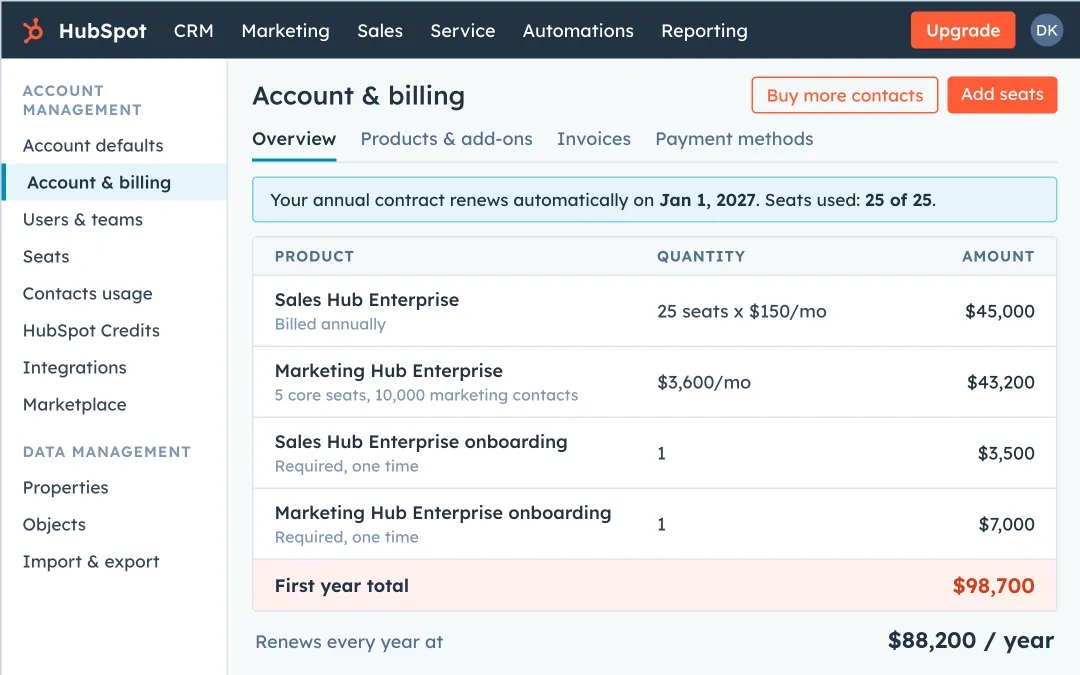
A HubSpot account and billing page for 25 users: Sales Hub Enterprise, Marketing Hub Enterprise, and two required onboarding fees, $98,700 the first year and $88,200 every year after
HubSpot for 25 users. $98,700 the first year, $88,200 every year after, and you still don't own it.
After
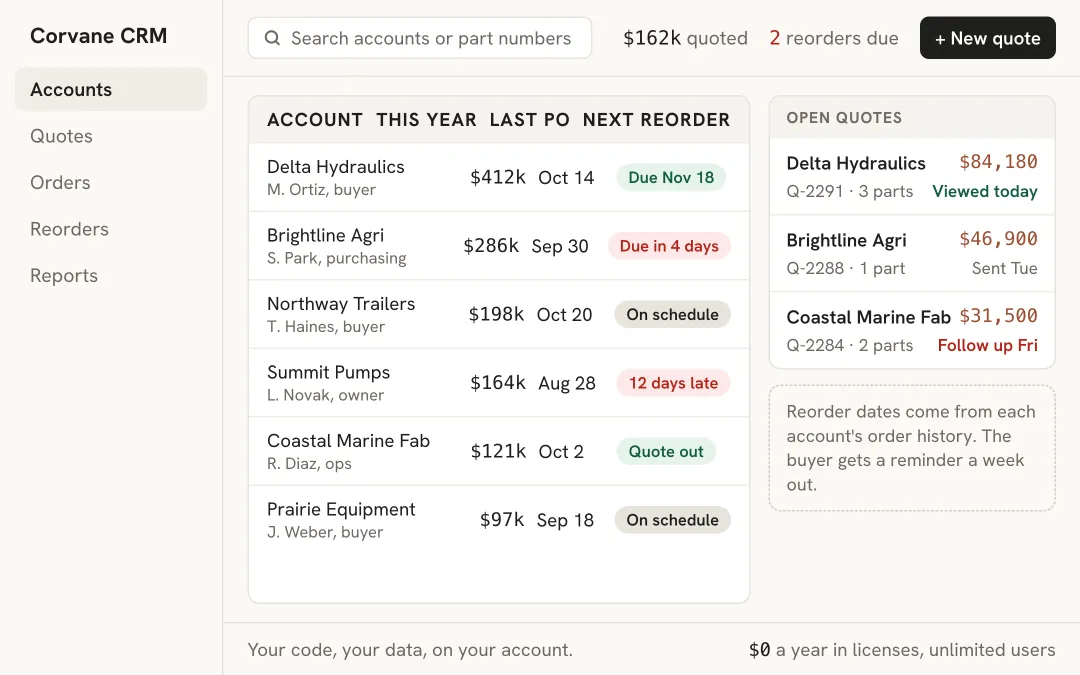
A custom CRM for a machine shop with five menus: accounts with this year's sales and next reorder date, open quotes, and $0 a year in licenses
A custom CRM. Only what your team uses, $0 a year in licenses, and you own the code.

Quoting tool

Before
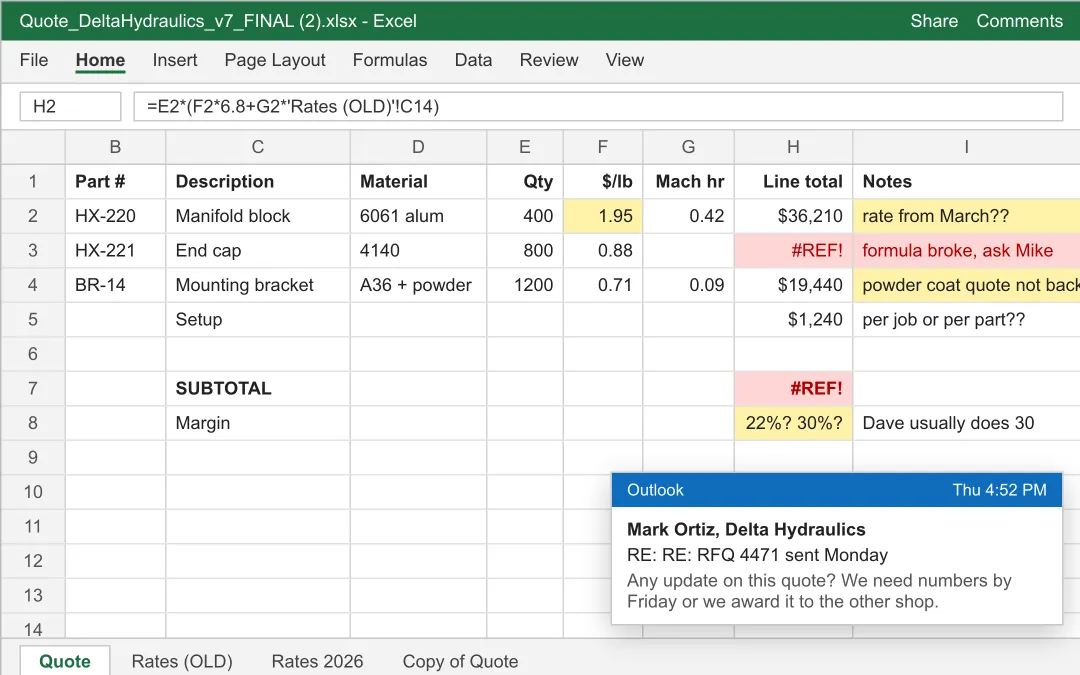
A quote spreadsheet on its seventh version with old material rates, a broken formula, a margin nobody agrees on, and an email from the buyer asking for the quote by Friday
A quote spreadsheet. Version seven, old rates, a broken formula, and the buyer asking twice.
After
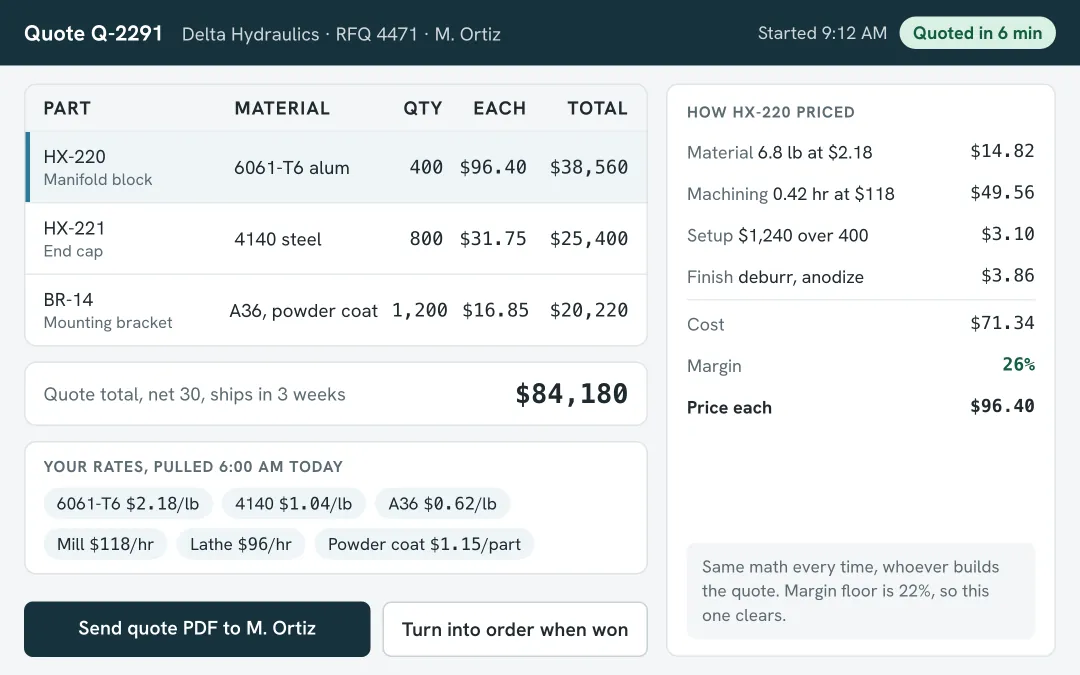
A quoting tool pricing three parts from today's material and machine rates, with the cost and margin broken out and a button to send the quote PDF, quoted in six minutes
A quoting tool. It prices from your rates and your math in six minutes and sends the PDF.

Wholesale customer portal

Before
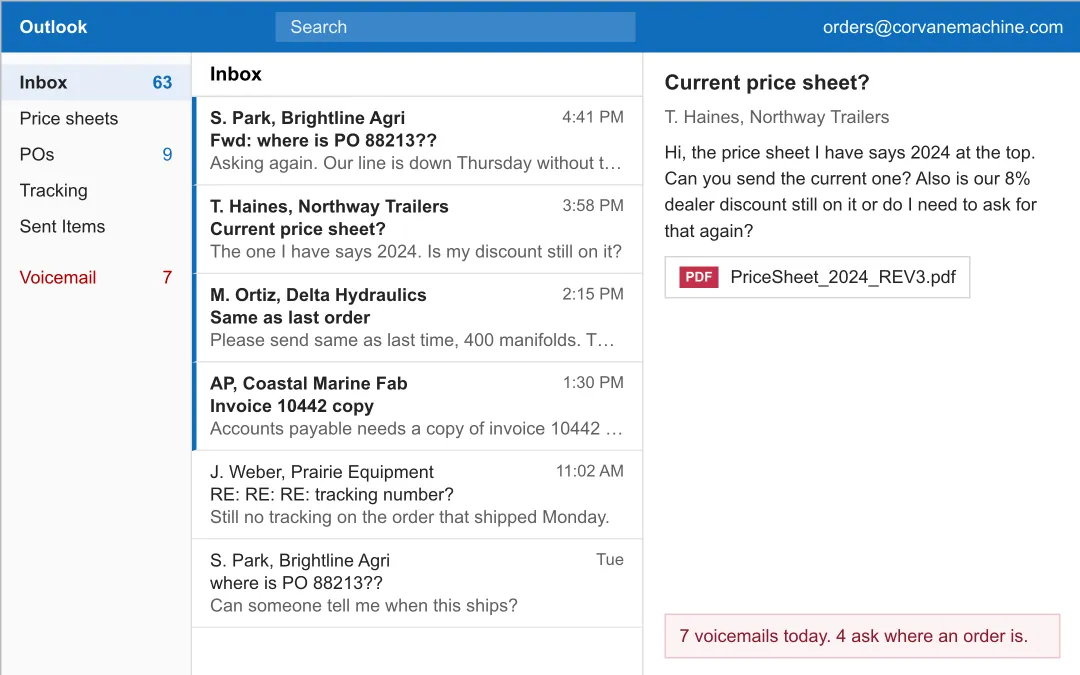
A shared orders inbox full of dealer emails asking where an order is, for the current price sheet, and for invoice copies, plus seven voicemails
A shared inbox. Dealers emailing and calling to ask where their order is.
After
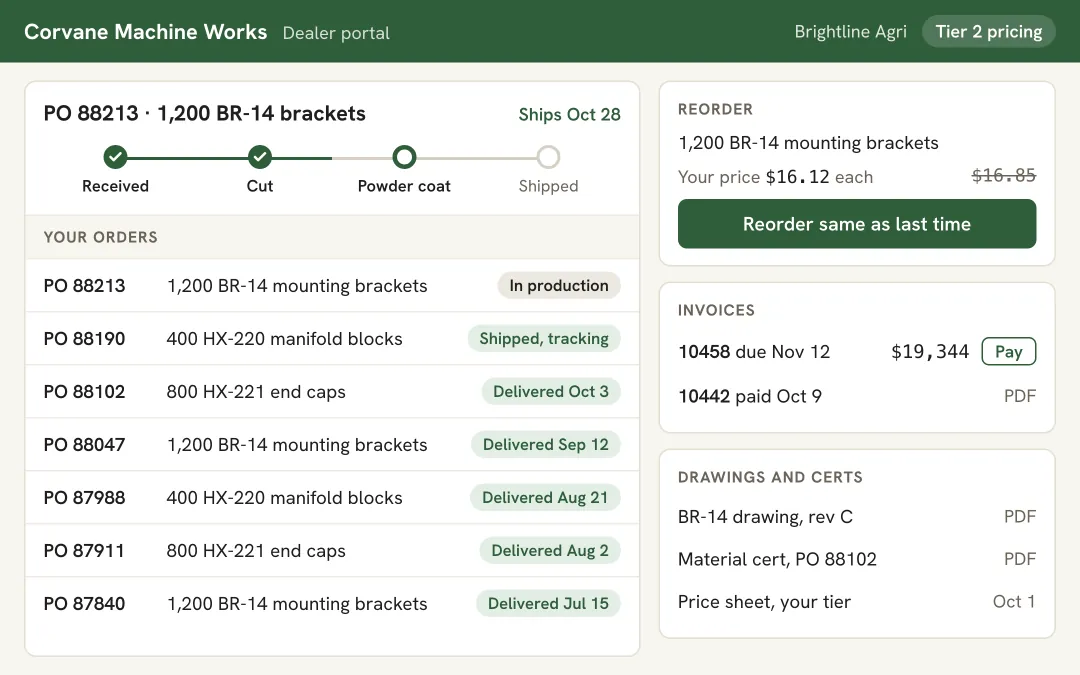
A dealer portal showing one dealer's order progress, past orders, their tier price with a reorder button, invoices with a pay button, and drawings and certs
A dealer portal. Each dealer sees their own prices, orders, and invoices, and reorders in one click.

Website

Before
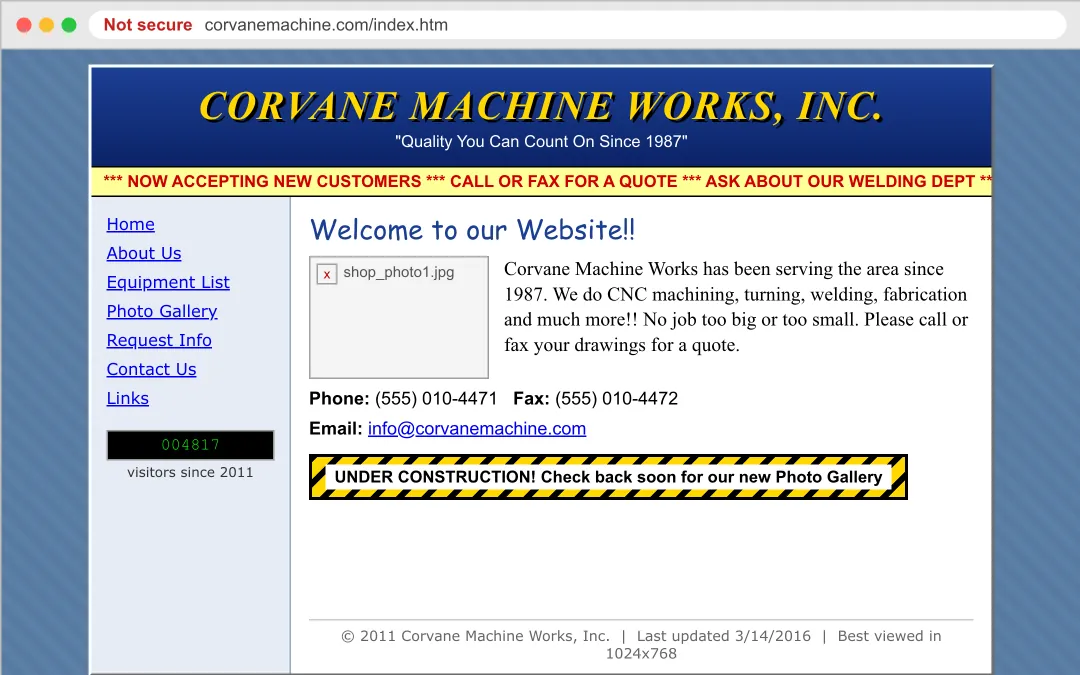
An old machine shop website marked not secure, with a scrolling yellow banner, a broken photo, a visitor counter, an under construction sign, and a note to call or fax for a quote
A 2011 template site. Not secure, a broken photo, and buyers told to fax their drawings.
After
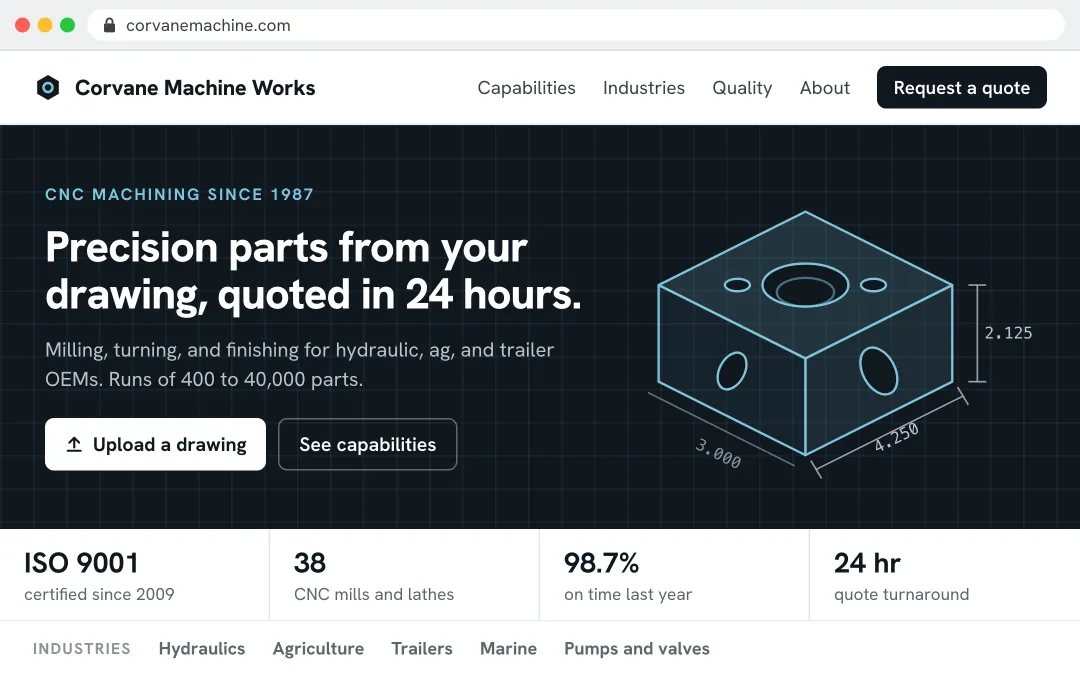
A custom machine shop website with a dark hero, a line drawing of a machined part, an upload a drawing button, and stats for ISO 9001, 38 CNC machines, 98.7% on time, and 24 hour quotes
A custom website. Buyers upload a drawing right on the page and get a quote back.

Order processing

Before
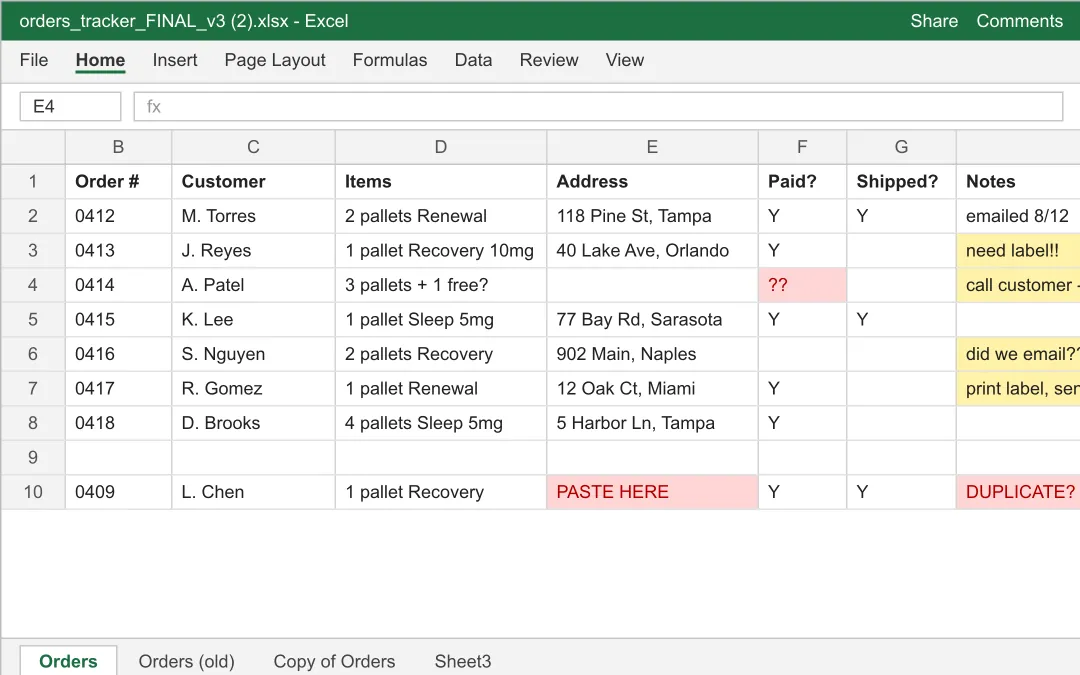
A spreadsheet of orders with highlighted cells, missing addresses, and hand-typed notes
A spreadsheet. Confirmations, pick lists, and labels typed by hand.
After
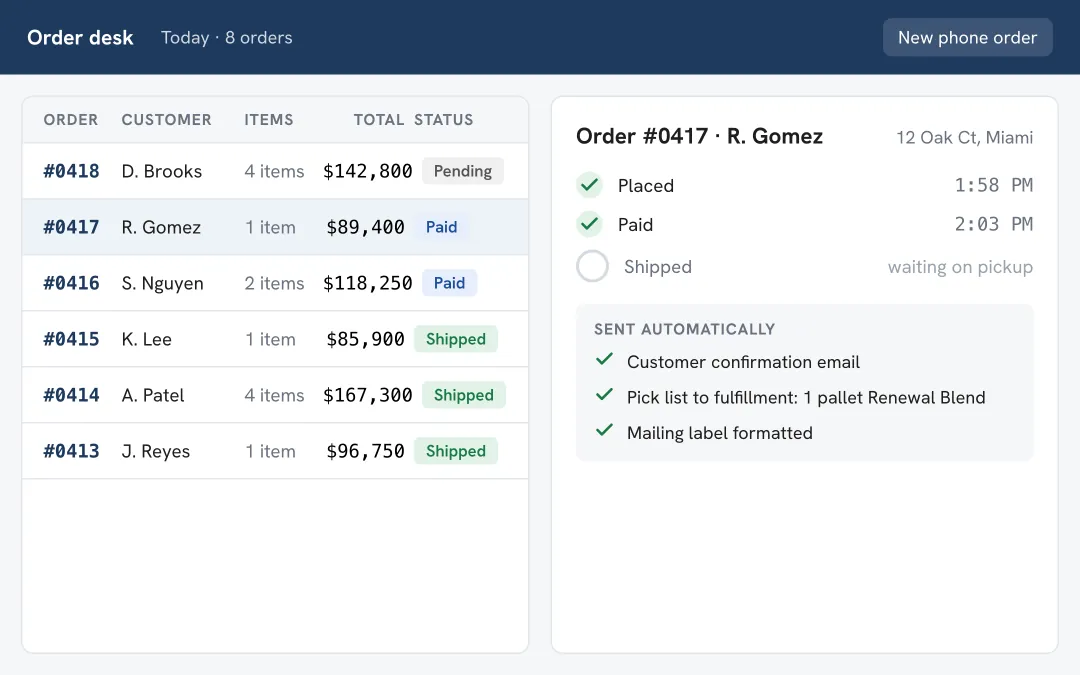
A custom order desk showing order status, a timeline, and emails sent automatically
An order desk. Confirmation, pick list, and label go out on their own.

Contracts

Before
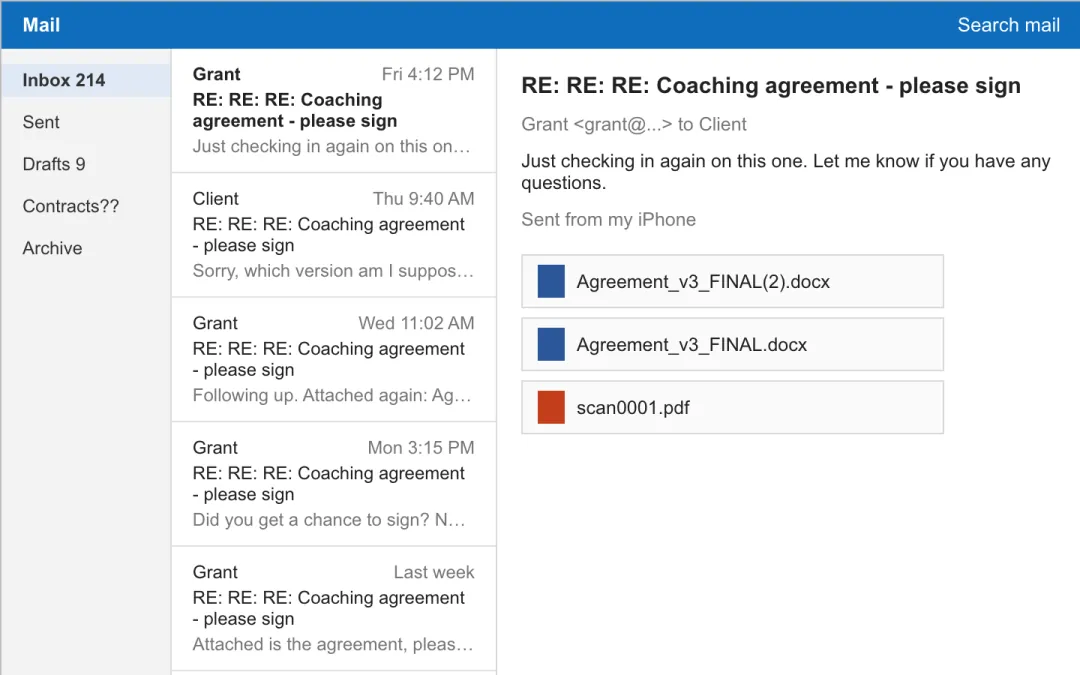
An email thread chasing a signature with three versions of the agreement attached
An email chain. Three attachments, chased for days.
After
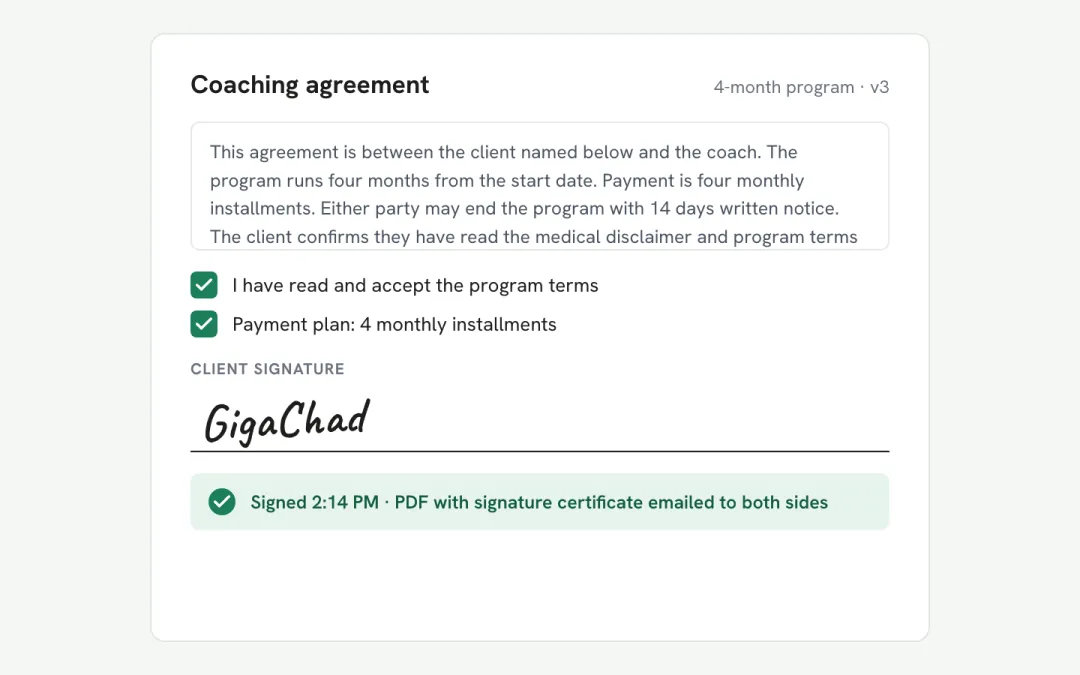
A signing page with accepted terms, a drawn signature, and a signed PDF delivered
A signing page. Signed in minutes, PDF to both sides.

Owner's dashboard

Before
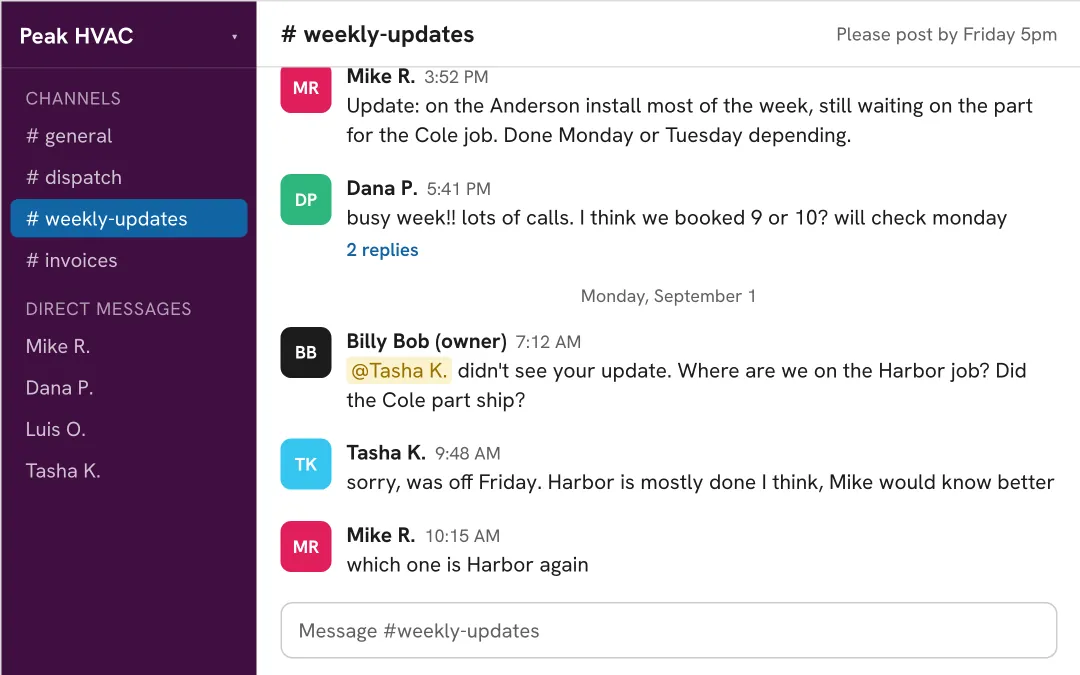
A chat channel called weekly-updates where team members post loose end-of-week messages and the owner asks who knows where a job stands
A chat channel. Friday updates, half the team posts, nobody knows which job is which.
After
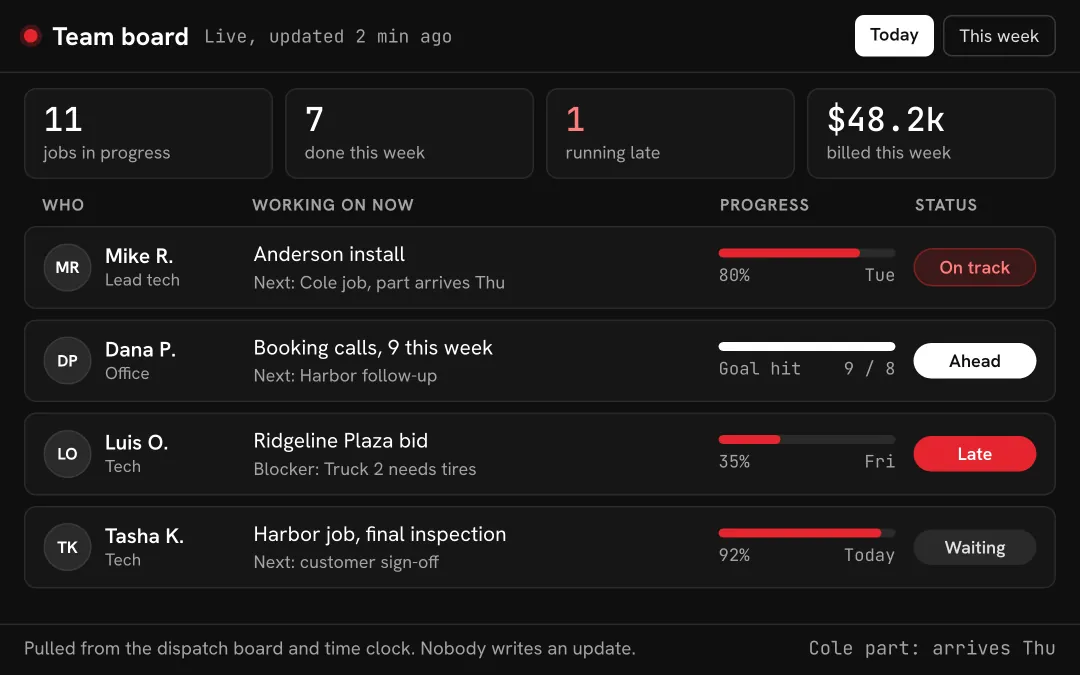
A dark team board listing every team member, what they are working on right now, a progress bar, and an on-track, ahead, late, or waiting status
A live team board. Every person, what they are on right now, who is late. Nobody writes an update.

Website dashboard

Before
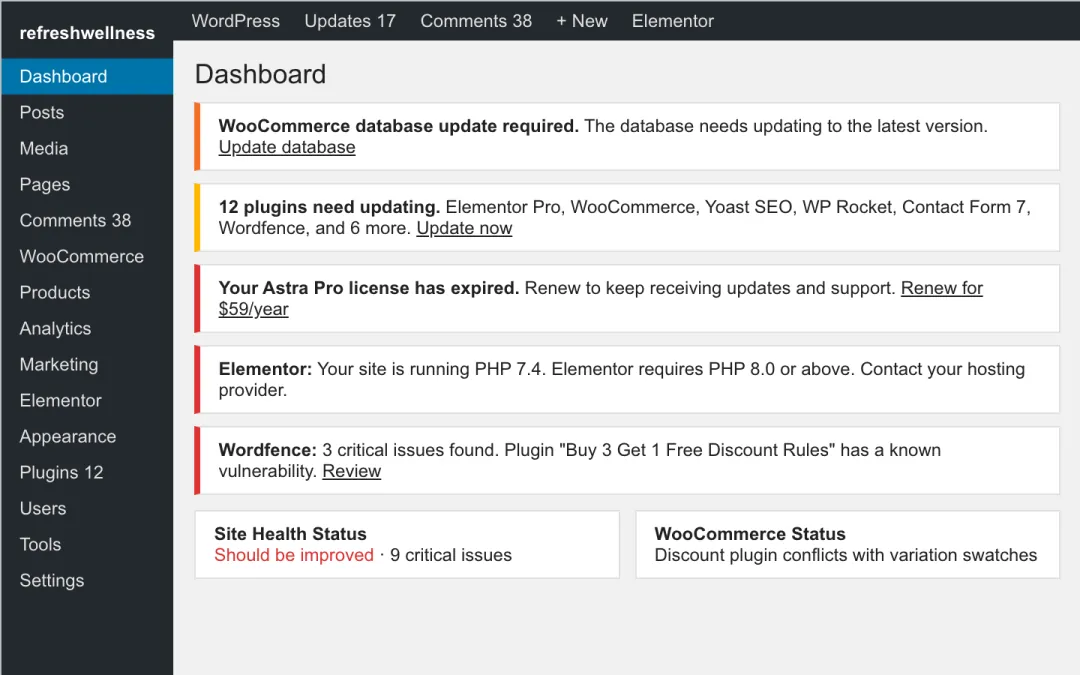
A WordPress dashboard full of plugin update, license, and security notices
WordPress. Twelve plugin updates and an expired theme license.
After
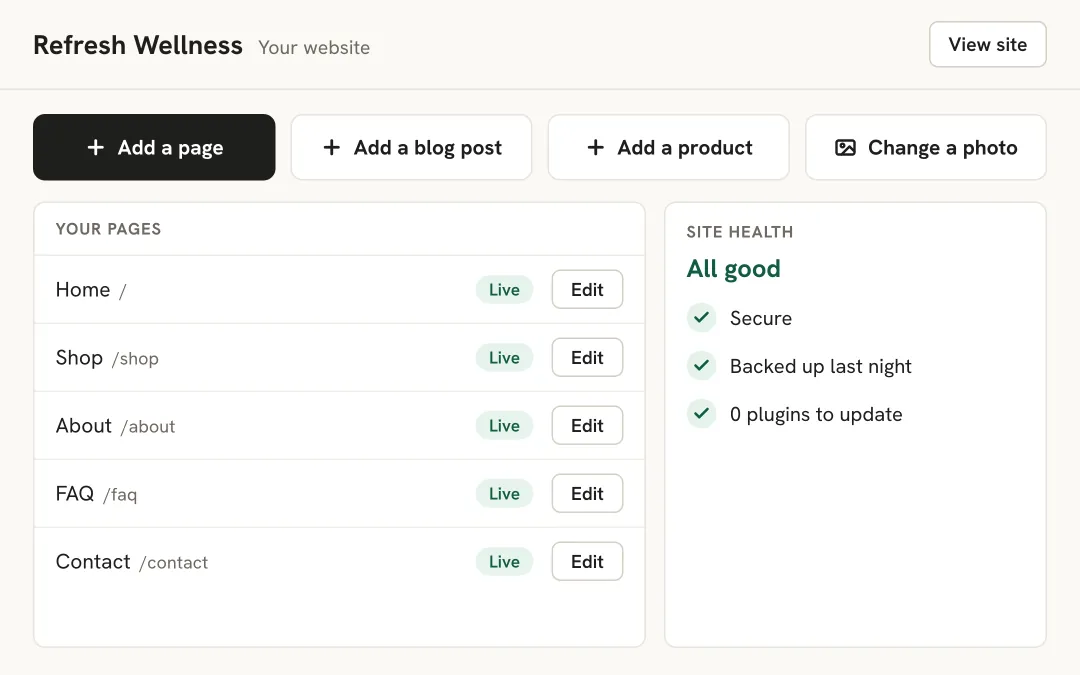
A simple custom website dashboard with big buttons to add a page, add a blog post, add a product, or change a photo, a list of the site's pages with edit buttons, and a site health panel showing it is secure, backed up, and has no plugins to update
A custom website dashboard. Add a page or a blog post in one click, with zero plugins to update.

Six things a shop still does by hand.

Most plants have all six. We find the one costing the most and prototype that first.

How we work together

Four steps. The first two cost nothing. The third has a guarantee.

  1. A 15-minute call

    You tell us the one thing the shop still does by hand or pays too much for, and what it costs you a year.

    Free
  2. A prototype, next business day

    We build a working prototype of the fix, with your workflow on it, and send it with a short walkthrough. You review it with whoever approves.

    Free
  3. The build, 28 days

    A fixed fee set as a share of what it saves you each year, paid in milestones. Live in 28 days. Love it, or your money back (terms).

  4. Handoff

    You own the code and the data. Cancel the software it replaced.

Questions owners ask

How much of my time does this take?

The 15-minute call, a look at how the work gets done today, a prototype review, and a short check at each milestone. Under three hours for most builds.

How fast?

The prototype lands the next business day after the call. The build goes live in 28 days from deposit.

What does it cost?

A fixed fee set as a share of what the build saves you each year: the software it replaces plus the hours it gives back. We work that number out with you on the call, so the fee is always smaller than the savings.

Do I own it?

Yes. Every line of code and every record of data. No per-seat licensing, no lock-in.

Request your free prototype

Three short steps, about two minutes, then pick a 15-minute slot. The prototype lands the next business day.

Free prototype

Tell us the one thing your shop still does by hand. You get a working prototype the next business day.

No costNo commitmentNext business day
Start the three steps